Huddly IQ Camera Review – Firmware 1.6.12 Supercharges Small-Room Video Calls
Why test the latest Huddly IQ firmware?
Hybrid work puts pressure on every meeting-room camera. Firmware 1.6.12 promises sharper framing and a true 4-person gallery view. As an independent AV consultant, I loaded the update, spent a day in a small huddle room, and here’s what I found.
What’s new in firmware 1.6.12
| Feature | Real-world benefit |
|---|---|
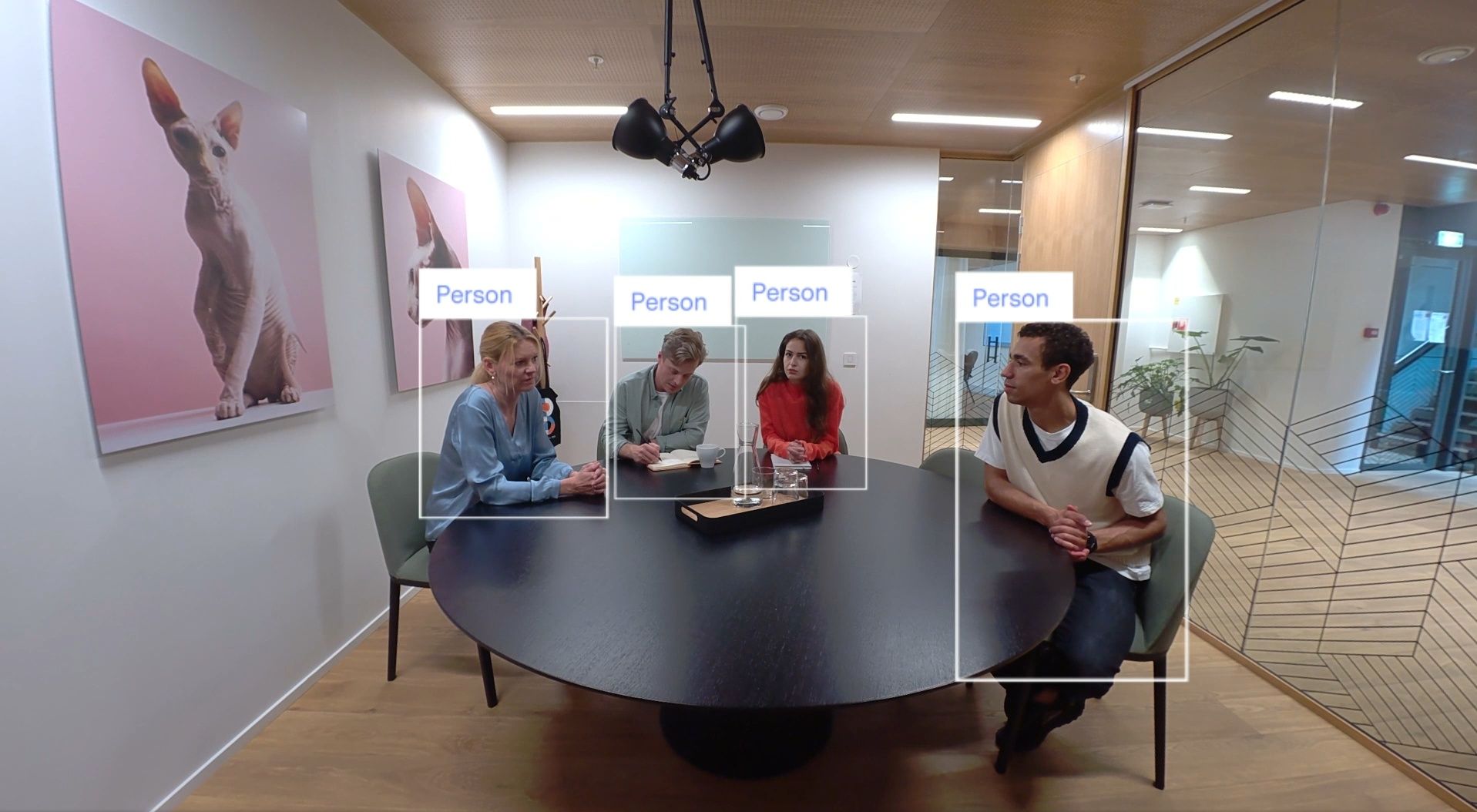
| 4-pane Gallery View | AI now zooms in on up to four people and presents them side-by-side, so remote teams can read faces and body language. huddly.com |
| Faster Genius Framing | The camera re-composes shots in under a second—great for agile stand-ups. |
| One-click updates via Huddly App | The free desktop tool flashes new code in minutes. support.huddly.com |
(See Huddly’s official specs for lens, sensor and mounting details.) huddly.com
Performance in the room
-
Small rooms (≤ 6 seats) – Gallery View shines; everyone looks engaged.
-
Medium rooms (7–12 seats) – Camera drops back to group framing, so faces get tiny.
-
Low light – HDR keeps images usable, although noise creeps in below 100 lux.
Wishlist for the next release
-
6–8 person Gallery View – Rumoured on the roadmap; would extend usefulness to mid-size spaces.
-
Manual override toggle – Quick switch between gallery and group framing during dynamic workshops.
-
Cross-platform analytics – Room-usage stats in the Huddly App would help facilities teams right-size spaces.
Who should buy the Huddly IQ?
| Use-case | Verdict |
|---|---|
| Huddle rooms & focus pods | Strong yes – simple USB plug-in, wide 150° lens, AI framing. |
| 10-seat boardrooms | Maybe – okay if most participants are remote; consider dual camera set-up. |
| Training spaces & town-halls | No – look at PTZ or multi-camera solutions. |
Key takeaways
-
Gallery View now supports four participants and really does level the playing field for remote callers.
-
Firmware updates are painless—just launch the free Huddly App and click “Update.” support.huddly.com
-
For anything bigger than a six-seat room, pair two cameras or step up to the Huddly L1.
Ready to see it in your own space?
Konnectus runs fast proof-of-concept (POC) demos so you can judge picture quality, AI framing and network impact before you buy. Book a free 15-minute consult and we’ll bring the Huddly IQ to your office—or schedule a remote walkthrough.